Baseline comparison
Conditional Access drift detection
Know when Entra CA policies diverge from your baseline - across one production tenant or an MSP fleet - without manual portal reviews.
Create your account, set up a workspace, and get 14 days of Pro - connect tenants, detect drift, and run impact analysis. No credit card required.
Why drift matters in Entra
Conditional Access policies change in the Microsoft Entra admin center, through automation, and during incident response. Without snapshots, drift shows up in audits, break-glass incidents, or when a policy behaves differently than your runbook says it should.
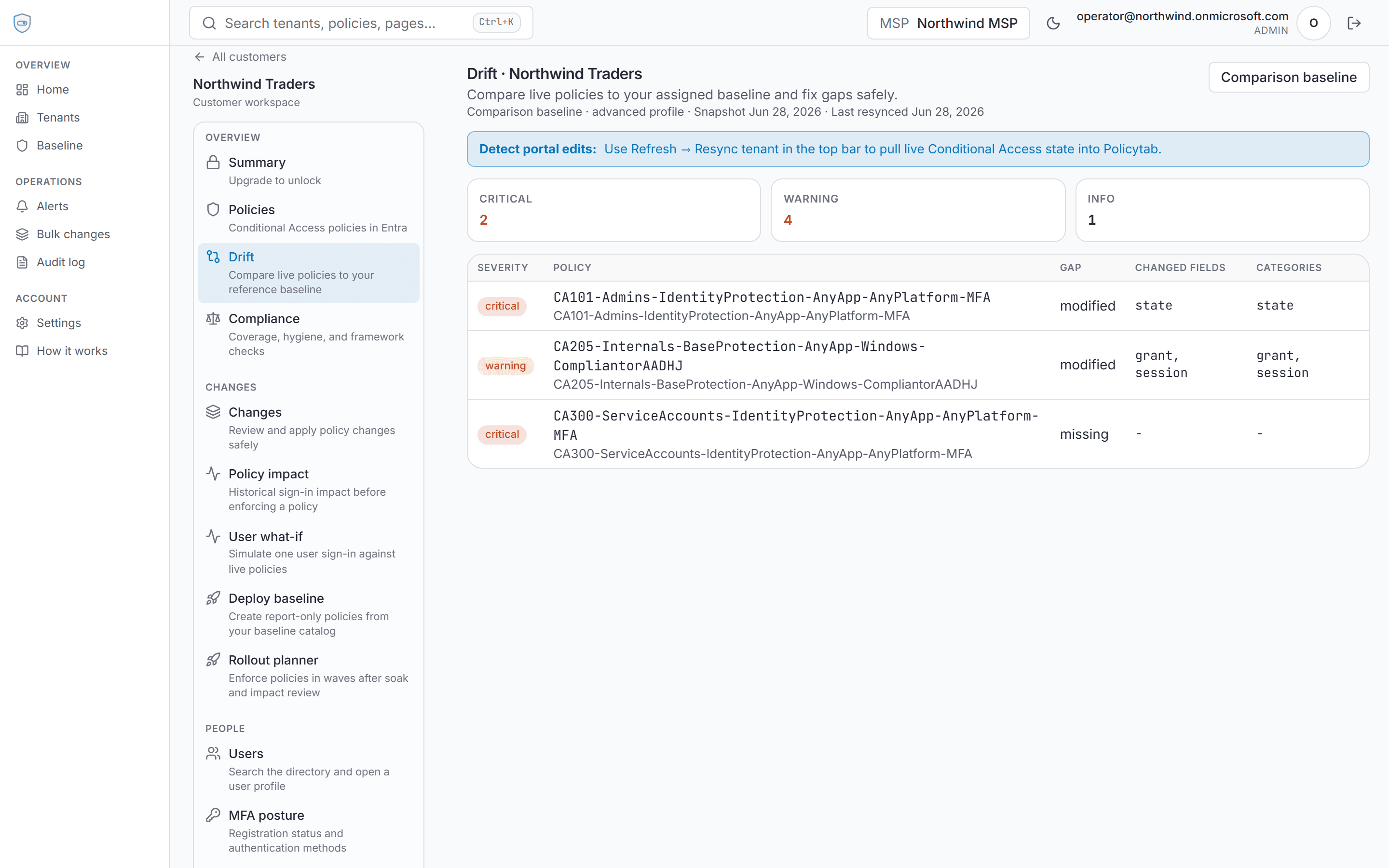
Policytab snapshots CA policies, groups, and named locations on manual resync and nightly backup, then compares each policy to your effective baseline.
How Policytab compares baselines
Each tenant compares drift against its assigned comparison baseline: imported CA snapshot (default for new tenants) or a workspace baseline you imported from GitHub and assigned per tenant. Community catalogs (Policytab upstream, Joey Verlinden) are import templates, not a shared global baseline for all customers.
- Per-policy diff with critical vs warning classification
- Dashboard rollup for MSP fleets
- Alerts when resync detects portal-side edits
- Remediation through governed change requests - drift analysis is read-only until you choose to apply
What drift detection is not
Policytab does not stream live Graph change notifications. Drift is detected when snapshots refresh - on demand or on the nightly backup schedule. That trade-off keeps analysis deterministic and tied to a point-in-time snapshot you can audit.
Conditional Access drift detection
Detect Conditional Access policy drift across Entra tenants. Snapshot policies on resync, compare to each tenant's assigned baseline, and surface portal edits before audits or outages.